
Inside My FairPlay Pro: Official Bet Ledger and ₹1000 Withdrawal Guide
My FairPlay Pro account provides a simple way to keep track of financial activity in one place. Users can check their available balance, review ongoing and completed bets, and view account statements covering the previous 30 days. The withdrawal section also allows users to submit payout requests through the available payment methods. The minimum withdrawal amount is ₹1,000. Processing times may vary depending on the payment option, bank and transaction status, so users should check the latest withdrawal guidelines before requesting a payout.
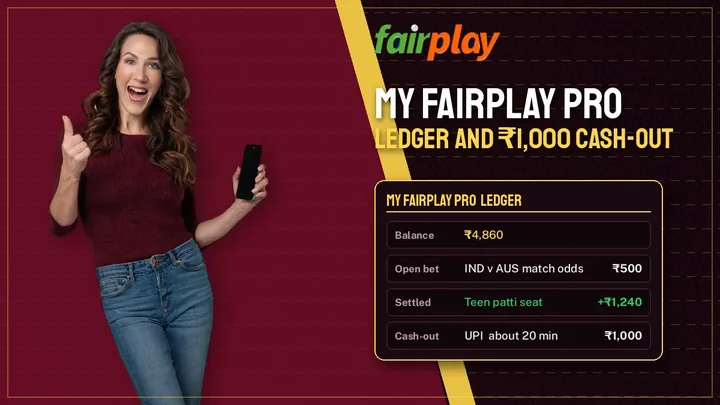
How the My FairPlay Pro Account Works
Think of the account area as a control panel. After you sign in, a dashboard usually shows your current balance first, then links to your bets, statements and money-related pages. Names and layouts can change over time, so treat this section as a general map rather than a screenshot.
Sections you will usually find
- Balance: the amount currently available to you.
- Open bets: wagers placed on events that have not finished.
- Settled bets: wagers with a final result.
- Statement or history: a time-ordered record of money moving in and out.
- Deposit and withdrawal pages: where payment requests are made.
- Help or support: where you can ask questions about your account.
Moving between sections
A good habit is to begin with the balance, then open the statement. If a number surprises you, look at the individual rows rather than guessing. Most account questions are answered by one line in the history.
Account Balance and Bet Ledger
Your available balance is the money you can use right now. When you place a bet, the stake normally leaves this figure straight away, even though the result is still unknown. That is why a balance can look lower during a match.
Open bets are stakes on events still in progress. Settled bets are finished ones, marked as won, lost or sometimes void. A bet is void when an event is cancelled or cannot be completed under the rules, which usually means the stake is returned. Check the platform’s own rules for detai
The bet ledger is the full record behind these views. Each row is one movement of money, listed in the order it happened.
A simple ledger example
The figures below are invented to show how the columns behave. They are not real account data.
| Entry | Money out | Money in | Balance |
|---|---|---|---|
|
Deposit |
– |
₹2,000
|
₹2,000
|
|
Cricket match winner stake, odds 1.80 (open)
|
₹500 |
– |
₹1,500
|
|
Same bet settled, won |
– |
₹900
|
₹2,400
|
|
Tennis stake (open) |
₹300
|
– |
₹2,100
|
|
Same bet settled, lost |
– |
₹0
|
₹2,100
|
Notice that one bet takes up two rows: the stake and the result. The ₹900 return on the cricket bet is the ₹500 stake multiplied by 1.80, so the actual profit is ₹400. Read the balance column from top to bottom. Each figure should equal the one above it, minus money out and plus money in. If a row does not add up, that is the one to ask support about.
Sportsbook: Explore Different Sports and Markets
The sportsbook is the section where you browse sporting events and the betting options attached to them. Which sports and markets appear depends on the day, the season and what the platform has opened, so the list below describes what is commonly offered rather than a fixed guarantee.
Sports categories
Most sportsbooks group events by sport, then by tournament or league, then by individual match. In India, the usual starting point is cricket, followed by football and tennis. Depending on the calendar, you may also see kabaddi, basketball, hockey, horse racing or esports. A menu on the side or top of the screen normally lets you switch between them.
Pre-match and live betting
Pre-match markets open before an event begins. You have time to read the odds, check team news and decide calmly.
Live (in-play) markets open while the event is running. Odds move as the match changes, so what you see now may differ a minute later. Live betting asks for faster decisions, which is why beginners often feel more comfortable with pre-match markets first.
Common market types
- Match winner / match odds: you pick which side wins. This is the simplest market to understand.
- Totals: you pick whether the number of runs, goals or points will be above or below a set line.
- Player-based markets: options tied to a single player’s performance, such as top scorer.
- Handicap markets: one side is given a virtual head start to balance a mismatch.
Odds are the price of each choice. Lower odds suggest a likelier outcome with a smaller return, while higher odds suggest a less likely outcome with a bigger return. They are not a prediction you can rely on. Every bet can lose.
Live scores and match updates
Live scores, innings summaries and match status panels help you follow an event without leaving the page. They are useful because they show you context: an interrupted game, a change of innings or a sudden wicket can all alter the situation quickly. Treat them as a guide, and remember that on-screen data can lag a little behind the real match.
Live Cricket and Sports Updates
Cricket comes in three main formats, and each behaves differently.
- T20: about three hours long, fast and unpredictable.
- ODI: 50 overs per side, with more time for a match to turn.
- Test: up to five days, where draws are possible and the weather matters.
To follow a match, open the event page and read the current score, the innings, the overs remaining and the match status. Before deciding anything, check the latest information: the toss, the playing XI, pitch reports, rain delays and injury news. A single piece of late news can change how a match is expected to go, and an out-of-date page can mislead you.
Deposit and Withdrawal Information
Payment methods, minimum amounts, fees and processing times can differ and can change, so we do not list them here. Confirm each of these on the official website or with the support team before you send money. If a figure is not stated clearly, ask for it in writing.
In general, the process has two parts. For a deposit, you choose a method, enter an amount and confirm the payment. For a withdrawal, you open the withdrawal page, enter the amount, choose a method and submit the request. Afterwards, check the statement: a request usually appears as its own row, often with a status such as pending, approved or completed.
Always keep your records. Save screenshots of payment confirmations, note the date and time, and keep any reference number. No platform should be expected to process payments instantly, so allow reasonable time before contacting support.
Login and Account Access
Logging in usually means entering the user ID and password you were given or created, and sometimes a verification step such as a code. Use only the official address, and avoid links sent by strangers.
Some simple safety habits:
- Never share your password or one-time codes with anyone.
- Use a password you do not use anywhere else.
- Log out on shared devices.
- Check the web address before you type your details.
If you cannot log in, work through this short list: check for typing mistakes and caps lock, confirm your user ID, try the password-reset option if one exists, make sure your internet connection is stable, and then try again after a few minutes. If the problem continues, contact support with your user ID, the time of the problem and a screenshot of any error message. Never include your password.
Mobile-Friendly Experience
Most people check their account from a phone, so a clear layout matters. A good mobile page keeps the balance visible, uses readable text and makes it easy to reach the statement. On a desktop, the same sections usually sit side by side, which can make reading a long ledger easier.
We cannot confirm whether a dedicated Android or iOS app exists. If you see an app offered, check that the download comes from the official website, and not from a random link.
Customer Support and Account Assistance
Support is where you turn for questions about login problems, missing deposits, delayed withdrawals or ledger entries you do not recognise. The official website should list its available support channels, and those are the only ones to trust. Please confirm them there instead of relying on a number from a message or a forum.
To get a faster answer, have these ready: your user ID, the date and time of the transaction, the amount, and any reference number or screenshot. Clear details help support check the right record the first time.
Responsible Gaming and Account Safety
You must be at least 18 to use any betting platform. Laws on online gaming and betting differ across India and can change, so check the rules that apply where you live before you play. If real-money gaming is not allowed in your area, do not use the platform.
Betting is not a way to earn a steady income, and no result is guaranteed. A few habits keep it in perspective:
- Set a spending limit before you begin and stay within it.
- Only use money you can afford to lose.
- Do not chase losses after a bad result.
- Take regular breaks, and stop if it stops being fun.
If you feel your gaming is getting out of control, step away and speak with someone you trust or a qualified support service. Keeping your login details private is part of staying safe, and so is checking My FairPlay Pro’s official pages for the latest rules before you act.
Frequently Asked Questions in Fairplay Game
It is the name people commonly use for the account section of the FairPlay Pro platform. This is where you can usually view your balance, bets, statement and payment pages.
Open the official website, go to the login page and enter your user ID and password. If you forget them, look for a recovery option or contact support.
The ledger lists each money movement in order: deposits, stakes, results and withdrawals, along with the balance after each row.
It is the area where you browse sports events and their markets, such as match winner, totals and live betting options.
Cricket, football and tennis are commonly featured, and other sports may appear depending on the season. Check the sportsbook menu for what is open today.
Open the statement or history page and look for the row linked to your deposit or withdrawal. If you cannot find it, contact support with your user ID, time, amount and any reference number.
Use the support channels listed on the official website. Have your user ID and transaction details ready.